gezel Hand off a job tonight. Review it in the morning.
Gezel is a free app that gives you a crew of AI helpers: a researcher, a writer, a developer, and more. Tell them what you need and they get to work on your own computer, overnight if you like. In the morning, their reports and suggested changes are waiting for you.
Works with free AI models that run on your computer, or with a Claude, ChatGPT or Copilot plan you already have. There’s no Gezel account to create.
Gezel Overview Watch on YouTube
- No account needed
- Open source, MIT license
- 290+ tested plans
- Models tested on real jobs
Download Gezel — totally free, open source
Install the CLI from npm, then start it:
npm install @bendyline/gezel-cli
npx gezel
Needs Node.js 24 or newer. CLI reference
What your crew can take on

Research a question
A written answer with a source for every claim, and guesses labeled as guesses.
The fact-check plan
Learn something new
Any topic explained at your level, from the basics up to the full picture.
The explainer plan
Build a site or app
Describe it in a sentence. Your crew plans, designs, builds, and checks it.
The dashboard plan
Look after your code
Problems found overnight, fixes drafted by morning, and nothing changes until you approve.
The nightly fix planHow it works
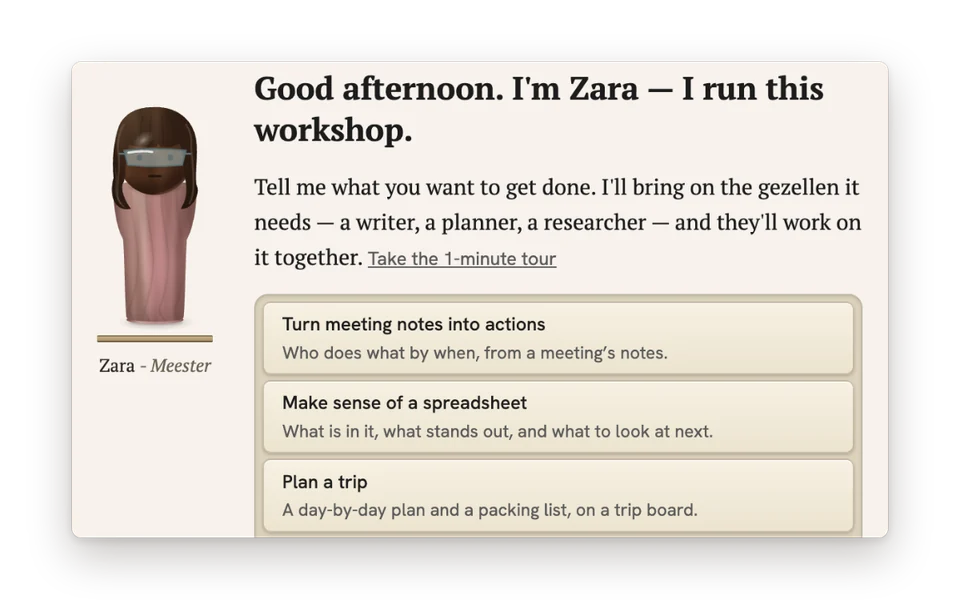
Tell the Meester what you need
Your first helper is the Meester, who runs the workshop. Describe the job in your own words, and they bring in the right helpers for it.
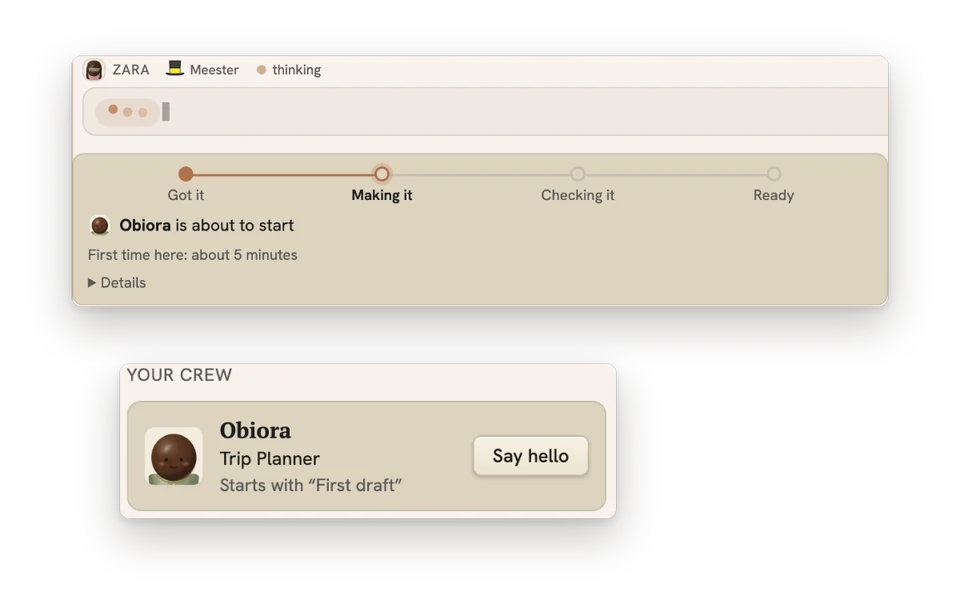
Your crew gets to work
Each helper follows a tested, step-by-step plan for the job. Watch along and step in whenever you like, or leave them to it overnight.
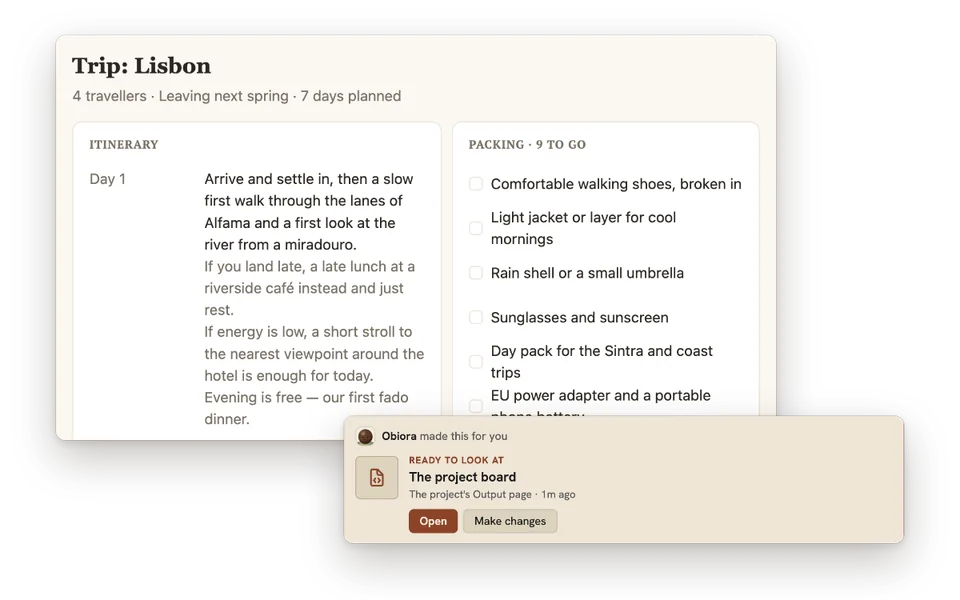
Review what’s waiting
Come back to finished reports and suggested changes. Your own files only change when you say so.
Ready-made for your crew
Gezel comes with hundreds of tested plans, characters and models, all free. Have a look before you download.






- 290+ craftbooksStep-by-step plans for decks, reports, websites, games and family projects.
- 89 AI modelsChat, image and video models that run on your own computer.
- 40 charactersFrom researcher and copywriter to meal planner and career coach.
- 26 project typesReady-made setups, and 23 of them you can try in your browser.
- 24 connectorsBring in mail, calendars, issues and posts as files your crew can read.
Why Gezel
Made for the AI on your computer
Each helper has one job, a few tools, and one of 290+ tested plans to follow. That focus lets the AI on your own computer finish real work. We test models on real jobs and publish the results.
You stay in charge
Helpers don’t get your passwords, open access to the web, or a view of anything else on your computer unless you allow it. How Gezel keeps AI in bounds
Yours to keep
Everything your crew makes is saved as ordinary files on your own disk. Gezel is free and open source, and none of our servers sits between you and your work.
Bring Gezel to your apps
Your crew and your local models can work inside the tools you already use. Set each one up, or remove it, in Settings → Integrations.

Plug into your coding tools
Use your crew and local models in VS Code, OpenCode, and pi. Each keeps its own tools and approvals.
Coding tools and editors
Give other AI apps new tools
Claude Code, Codex, and Cursor can search your folders and documents, make images, and turn their writing into Word, PowerPoint, or PDF files.
Gezel’s tools in other AI apps
Work inside your office apps
Chat with your crew beside a Word, Excel, or PowerPoint document, and let it edit when you allow. LibreOffice works too.
Office and LibreOfficeUse Gezel as a platform
The engine behind the app is yours to build on, from the command line and with open-source packages on npm.

Build workflows with the CLI
Start craftbooks, send one-shot prompts, and wait for the results from a terminal or a script.
The gezel command line
Add local AI to your app
OpenAI-style chat on local models for Node.js and Electron. Use the person’s Gezel, or host one inside your app.
Building connected apps
Build apps that live in Gezel
Package a page, scripts, a crew, and craftbooks into one app that installs into a project.
Building AI AppsHand off your first job tonight.
Free for macOS, Windows and Linux. There’s no account to create.
Download Gezel Free and open source